What you getBy TextParcelLast updated
A sample export
These are the real files TextParcel made from two example conversations: a five-page PDF transcript and a spreadsheet of the same 38 records. The people and messages are not real, and the cover page says so.
The PDF transcript
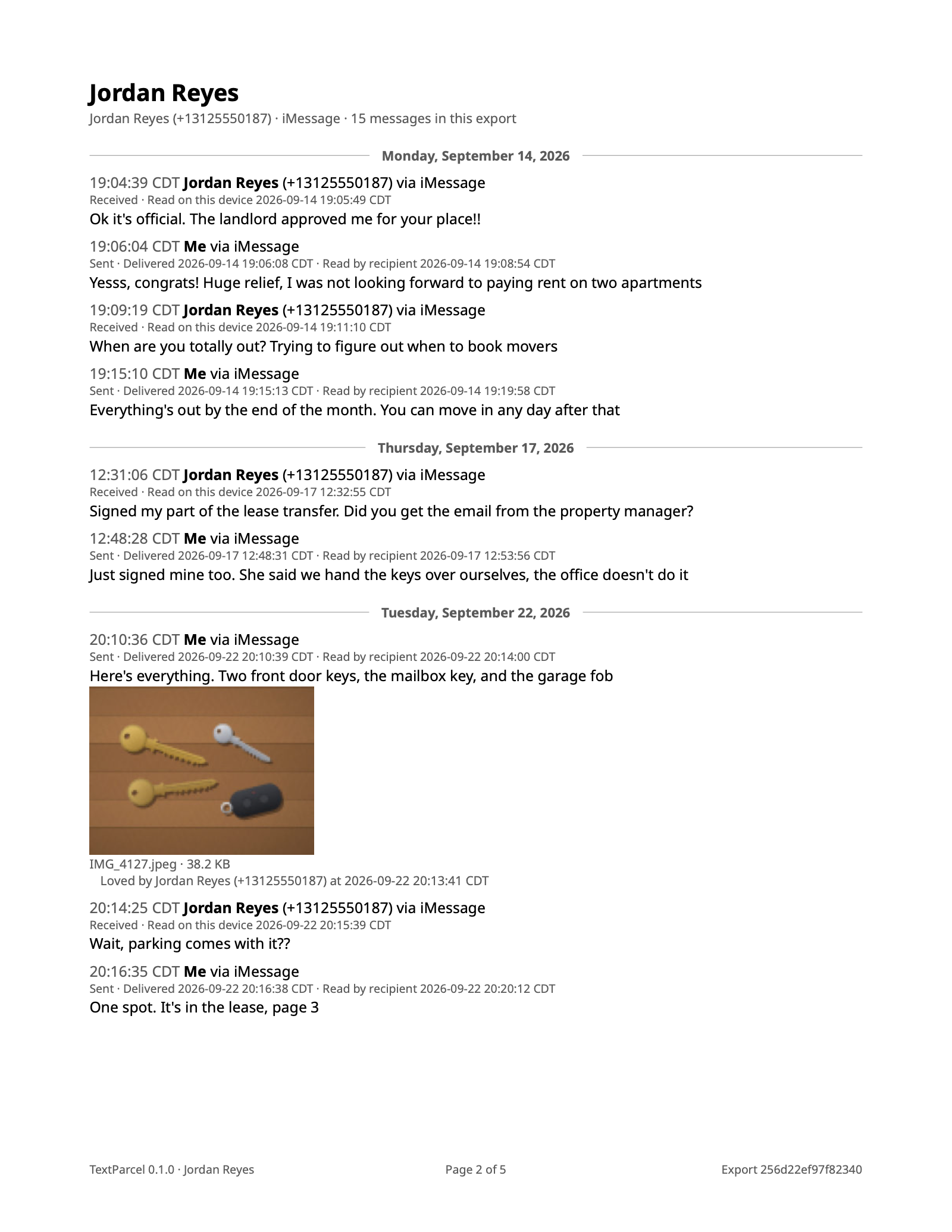
Five pages: a cover page, then Jordan Reyes on pages 2 and 3 and Weekend Plans on pages 4 and 5, each conversation starting on a new page under its name. Every message shows its date and time, its sender with the phone number or email behind the name, the service it went by, and when it was delivered and read.
Replies show the message they answered, reactions sit under their message, the edited message keeps its earlier version, the unsent one is marked, and the three photos appear where they were sent. The messages are real text, so the PDF is searchable.
The cover page
The cover page says what’s in the export before anyone reads a message. In the sample:
| On the cover | In the sample |
|---|---|
| Note | Sample export made from example conversations. The people and messages are not real. |
| Each conversation | Its type and service, how many records the source has for it, the participants with their numbers or emails, and the account owner. Jordan Reyes is a one-to-one conversation with 16 records; Weekend Plans is a group with 22. |
| Time zone | America/Chicago, for every time in the document |
| First and last message | 2026-09-05 18:40:22 CDT and 2026-09-26 08:12:30 CDT |
| Dates you chose | Listed when you pick dates. The sample covers everything, so there are none. |
| Records selected | 38 |
| Messages, reactions, and group events exported | 30, 7, and 1 |
| Attachments | 3 in these messages, 3 files found |
| Skipped | none |
| Export | Which version of TextParcel made it, an export ID that every page’s footer repeats, the source (Messages on a Mac, read from a copy, and when the copy was made), where the names came from, and whether every character could be shown |
The spreadsheet
The sample spreadsheet has 38 rows, one per message, reaction, and group event, in the order they were sent: the same 38 records as the cover page. Each row holds:
- a number for the row, and Messages’ own ID for it
- the conversation, by its ID and by its name, like Jordan Reyes
- when it was sent, in UTC and in the zone you chose, with the zone’s name
- when it was delivered and read, in UTC, where Messages recorded that
- the sender’s phone number or email, and their name
- whether it was sent or received, and the service it went by
- the text, with a marker like [attachment: IMG_4127.jpeg] where a photo or file was sent
- for a reply, the message it answered; for a reaction, its kind and the message it was left on
- whether it was edited, with its earlier versions, and whether it was unsent
- what kind of row it is: a message, a reaction, or a group event
- how many attachments it has, and their file names
A phone number starts with an apostrophe, so no spreadsheet app treats it as a formula. Download the sample spreadsheet, or see one message on the page and in the spreadsheet, side by side, in how to export an iMessage conversation to PDF.
The original files
Every photo and file sent in the conversations is copied unchanged into the export folder, beside the PDF. The sample’s three photos (the keys, a cabin at dusk, and a packed bag) appear in the PDF where they were sent; the original files aren’t posted on this site.
A photo kept only in iCloud can’t be copied, so the export lists it as missing where it was sent. Here’s how to bring it down before you export.
The summary
Each export also writes a small summary file with what you selected and the counts, the same totals as the cover page. It isn’t posted here; the cover page above carries the same numbers.
Time zones
Before you export, you pick a zone at the bottom of TextParcel’s window; it starts as your Mac’s. The cover page names it (America/Chicago in the sample), and every time in the PDF uses it, with its abbreviation, like 19:04:39 CDT. The spreadsheet has each time twice, in UTC and in that zone.
Counts and what was left out
Every record you select is counted once: as a message, a reaction, a group event, or skipped. In the sample, the 38 records selected are 30 messages, 7 reactions, 1 group event, and nothing skipped.
Records left out, like the messages past the free version’s 100, are counted under Skipped rather than dropped, so the cover page still accounts for everything you selected. And if a photo isn’t on the Mac, the number of attachment files found is lower than the number of attachments in the messages.
Printing and sharing
The PDF prints from Preview or any PDF app. How to print text messages from your iPhone has the steps, from a Mac or a phone. To share an export, send the whole folder, so the PDF, the spreadsheet, the original files, and the summary stay together.