Messages → PDF + spreadsheet · for Mac
Every message, accounted for.
TextParcel turns the Messages on your Mac into a searchable PDF transcript and a matching spreadsheet, with replies, reactions, photos, and every timestamp. It all happens on your Mac. Nothing gets uploaded.
- Free for 100 messages
- $19 once for everything
- macOS 14 or later
Message transcriptSample
Jordan Reyes; Weekend Plans
- Messages exported
- 30
- Reactions exported
- 7
- Group events exported
- 1
- Attachment files found
- 3 of 3
- Skipped
- none
The counts match the files. The PDF, the spreadsheet, and the attachments agree.
The real app · example conversations
Click around.
Tick conversations, open one, set dates, and click Export to see the example counts. Nothing you do here leaves the page.

Screenshots aren’t a record.
When texts matter (to a lawyer, an HR team, a landlord, or just to you), a camera roll of cropped screenshots leaves gaps. A transcript keeps the conversation together, in order, with every message counted.
Timestamps
Screenshots Show up every so often, often without the date.
TextParcel Every message shows its date and time.
Who sent it
Screenshots Whatever name you saved in Contacts.
TextParcel The name, plus the phone number or email behind it.
Replies & reactions
Screenshots Hard to tell what answers what.
TextParcel Replies show what they answered. Reactions sit under their message.
Photos
Screenshots Cropped, compressed, out of context.
TextParcel Shown where they were sent, with the originals saved beside the PDF.
Anything left out
Screenshots No way to show nothing was left out.
TextParcel The cover page counts every message and says what was left out, if anything.
Effort
Screenshots Hundreds of images to capture, put in order, and send.
TextParcel One searchable PDF and one spreadsheet, in a folder you choose.
Everything in the message.
A transcript keeps the context a conversation actually had, so anyone reading it later can follow along.
- Who and when
Each message shows its time, its sender, and the number or email behind the name.
- Photos where they were sent
Shown in line, with the originals saved beside the PDF.
- Reactions where they belong
Each reaction sits under the message it was left on.
- Edited and unsent, marked
If a message was changed or pulled back, the transcript says so.
- Replies in context
A reply shows the message it answered.
Tuesday, September 22, 2026
20:10:36 CDT Me via iMessage
Sent · Delivered 2026-09-22 20:10:39 CDT · Read by recipient 2026-09-22 20:14:00 CDT
Here's everything. Two front door keys, the mailbox key, and the garage fob
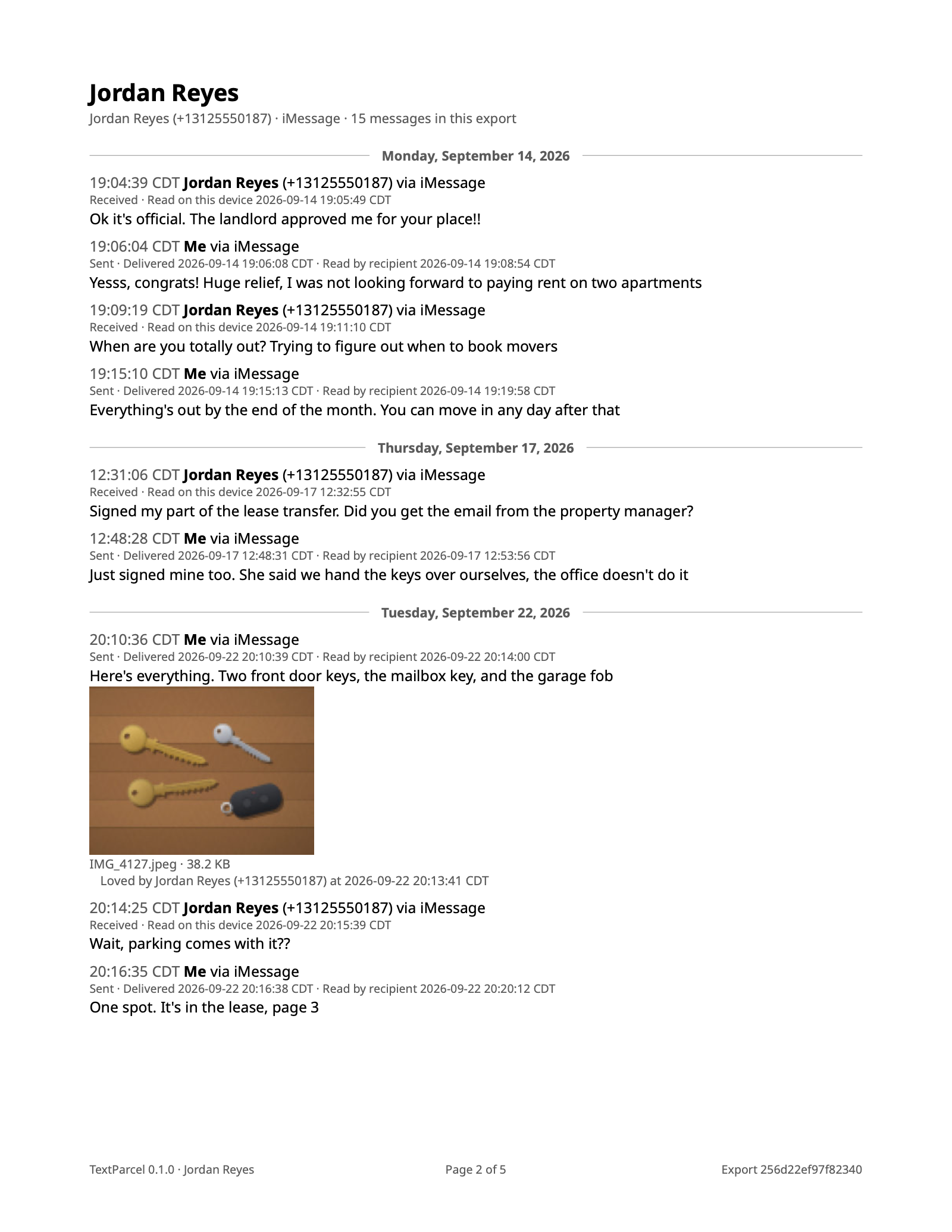
IMG_4127.jpeg · 38.2 KB
Loved by Jordan Reyes (+13125550187) at 2026-09-22 20:13:41 CDT
Friday, September 25, 2026
21:02:10 CDT Me via iMessage
Sent · Delivered 2026-09-25 21:02:12 CDT · Read by recipient 2026-09-25 21:04:44 CDT
Does 8 tomorrow morning still work? I can hand everything over before work
Edited (last edit 2026-09-25 21:03:56 CDT). Earlier versions:
- Version 1 (2026-09-25 21:03:56 CDT): Does 7:30 tomorrow morning still work? I can hand everything over before work
Saturday, September 26, 2026
07:46:19 CDT Jordan Reyes (+13125550187) via iMessage
Received · Read on this device 2026-09-26 07:48:37 CDT
Reply to Me (+13125550110) at 2026-09-22 20:16:35 CDT
One spot. It's in the lease, page 3
Which spot is it? Want to move my car in tonight
Nothing leaves your Mac.
TextParcel reads a copy of your Messages and writes the files to a folder you choose. No account to create, nothing to upload, no analytics.
Messages on this Mac
Left exactly as it was
TextParcel
Reads a copy, on your Mac
A folder you choose
PDF · spreadsheet · originals
Used only to activate your key, and when you click Remove this Mac. Your messages never go with it.
No account
Download, open, export. There’s nothing to sign up for.
No upload, no analytics
Your messages are read and written on this Mac, and the app sends nothing about how you use it.
One permission
You pick your Messages folder once. Full Disk Access is only a fallback.
A transcript a lawyer can read.
Something organized and searchable to hand over, with the counts that show what’s in it.
- Searchable transcript
A cover page lists the conversations, the dates, the message counts, and anything left out.
- SHEET
- Matching spreadsheet
One row per message, reaction, or group event, so you can sort, filter, and count.
- MEDIA
- Original attachments
The original photos and files, saved beside the PDF.
- COUNTS
- Counts report
The totals from the cover page, which match the files.
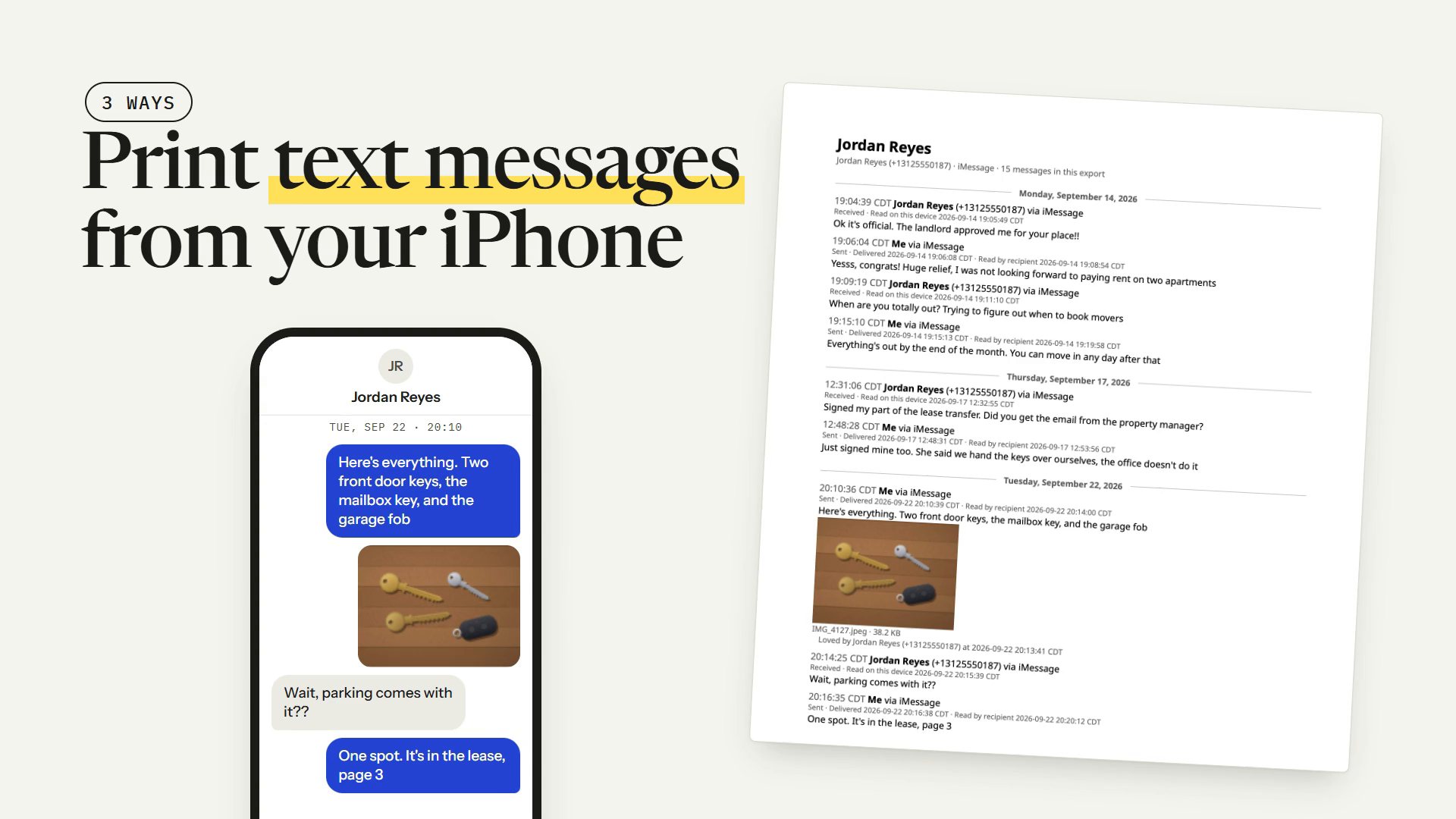
Every part of the sample is explained on the sample export page, and how to export an iMessage conversation to PDF walks you through making your own. To get one on paper, here’s how to print text messages from your iPhone.
PDF transcriptPage 2 of 5
20:16:35 CDT Me via iMessage
Sent · Delivered 2026-09-22 20:16:38 CDT · Read by recipient 2026-09-22 20:20:12 CDT
One spot. It's in the lease, page 3
Same message, same count
| message_id | date_local | sender_name | text |
|---|---|---|---|
| 98 | 2026-09-22T20:14:25.966-05:00 | Jordan Reyes | Wait, parking comes with it?? |
| 99 | 2026-09-22T20:16:35.228-05:00 | Me | One spot. It's in the lease, page 3 |
| 102 | 2026-09-24T21:10:11.368-05:00 | Sam Lee | [attachment: IMG_2290.jpeg] |
How it works
From Messages to a finished folder in three steps.
-
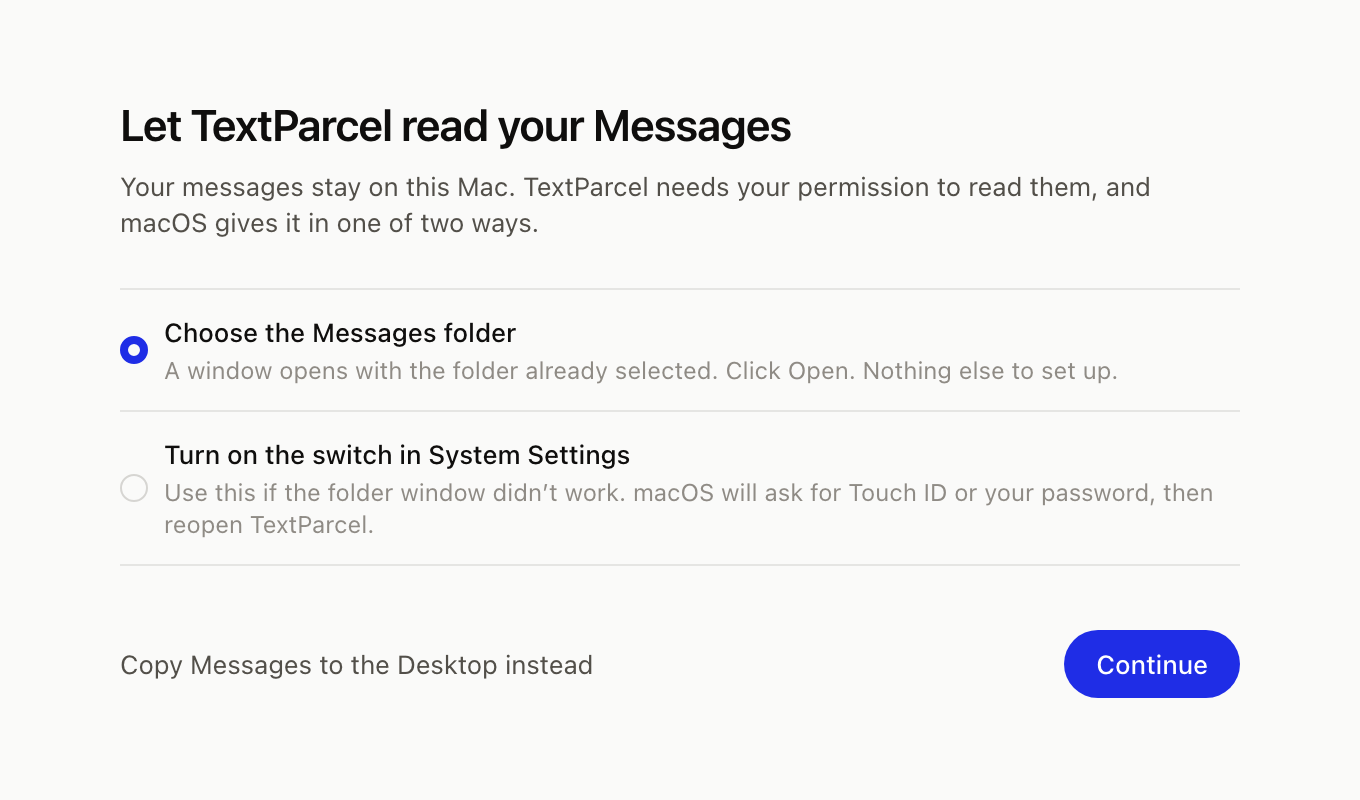
Choose your Messages folder
Open TextParcel, click Continue, and click Open in the window macOS shows. No settings to change.
-
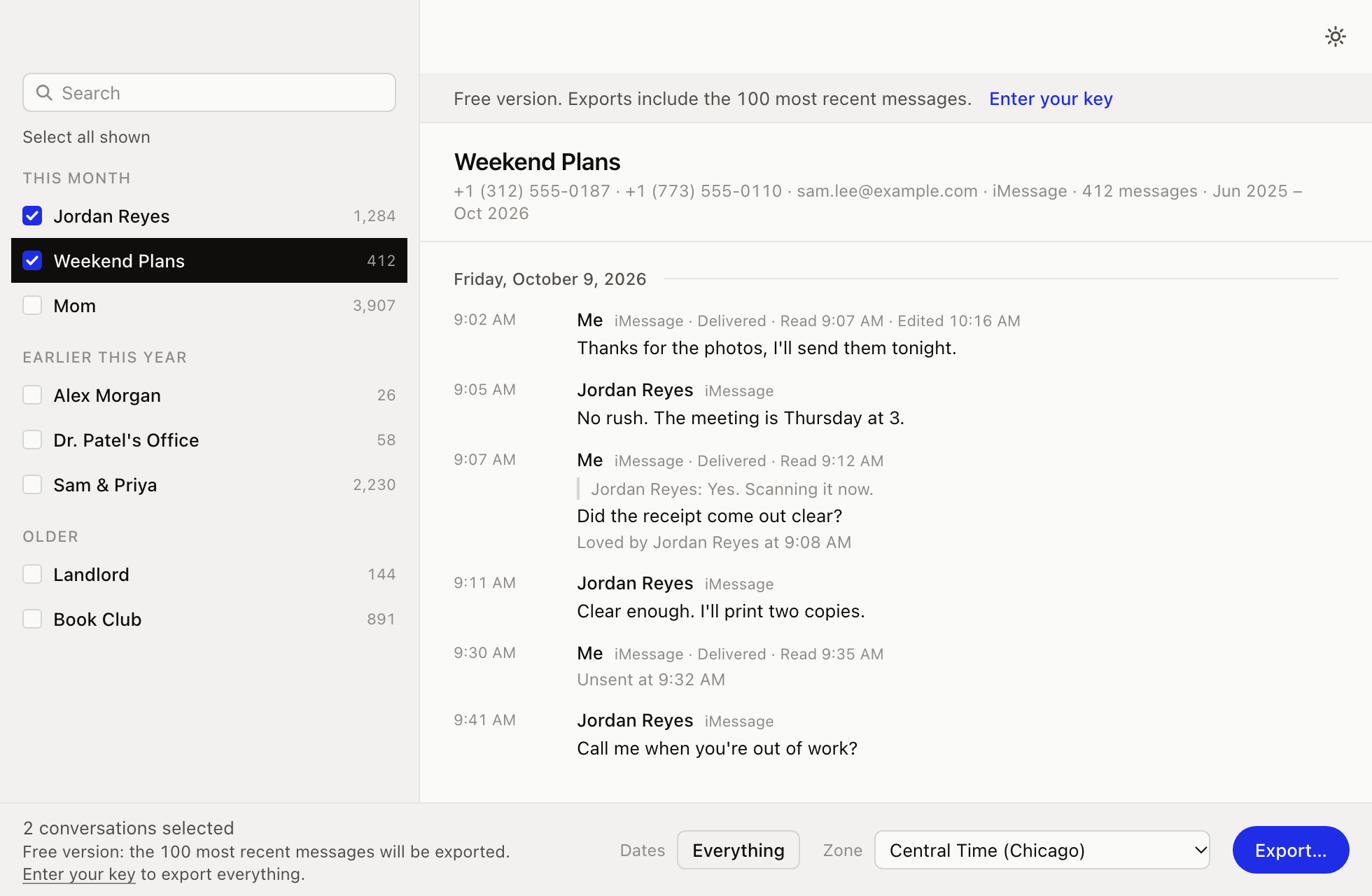
Pick conversations
Tick the ones you need. Set dates if you want. Everything else is on by default.
-
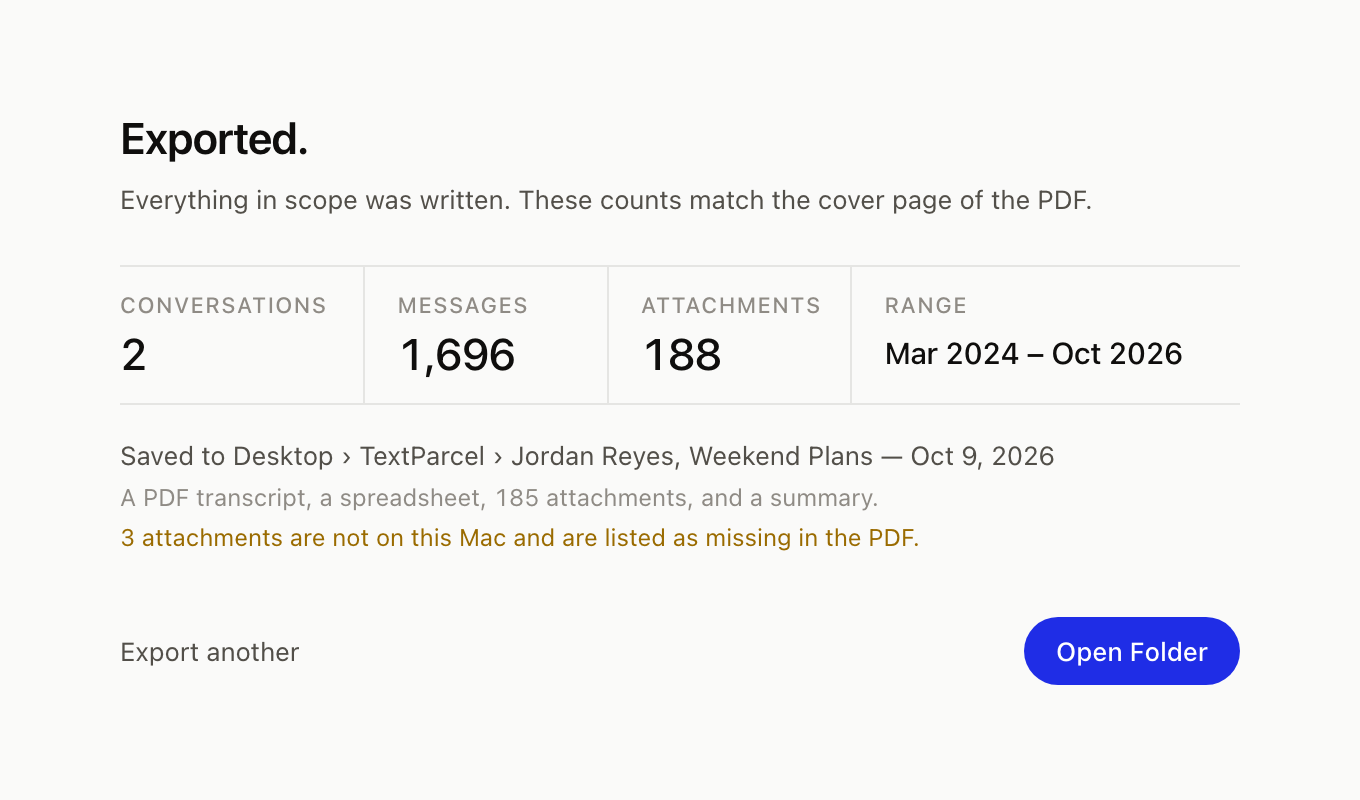
Export
A PDF, a spreadsheet, and your attachments, in a folder on your Desktop. The cover page counts match the files. Here’s how to export a whole iMessage conversation to PDF.


$19, once.
Try every feature free. Buy a key when you need more than 100 messages. No subscription.
Free version
$0
Every feature, limited to your 100 most recent messages across whatever you select. See exactly what you’ll get before you pay.
- PDF, spreadsheet, and attachments
- Cover page and counts report
- Up to 100 messages per export
Full version
$19one time
One key unlocks everything, for every conversation, as many times as you need.
- Unlimited messages
- Use it on two Macs
- Every update to version 1
- No subscription
Secure checkout by Stripe. Your key arrives by email within a few minutes.
All sales are final, so please try the free version on your own messages first. It shows exactly what the full version will produce.
Questions
Something else? Email support@textparcel.com. A person reads every email.
Does it work with texts from Android phones?
Yes, if they’re in your Mac’s Messages app. SMS and RCS conversations with Android friends export the same way as iMessage. They only reach your Mac if your iPhone forwards them, which takes a minute to turn on: see how on the Support page. It doesn’t read an Android phone’s own messages.
Where do my messages go?
Nowhere. TextParcel reads a copy of the Messages data already on your Mac and writes the export to a folder you choose. It goes online only to activate your key, once, and when you click Remove this Mac.
What does macOS ask me for?
To pick your Messages folder in a normal file window. That’s it. If that window ever doesn’t work, the app walks you through the Full Disk Access switch instead.
What’s in the export?
A searchable PDF transcript, the original photos and files, a spreadsheet with one row per message, reaction, and group event, and a report with the counts. The PDF cover page lists the counts too, with the dates, the time zone, and anything left out. Photos that live only in iCloud show as “not on this Mac”.
Can it get back deleted messages?
No. TextParcel exports the messages your Mac still has. It doesn’t try to bring back deleted ones.
Will a court accept it?
That’s up to the court and your lawyer, and nobody can promise it. What TextParcel does is count every message it exports, say on the cover page what was left out, if anything, and put the same messages in the PDF and the spreadsheet.
Why are messages on my iPhone missing from the export?
Usually because your Mac doesn’t have them. TextParcel exports what the Mac has, and the Mac’s copy of Messages can fall behind the phone, or miss messages when Messages in iCloud is off or on a different Apple Account. On the Mac, open Messages, choose Messages › Settings › iMessage, and click Sync Now; then click Refresh in TextParcel. Texts from Android phones also need forwarding turned on. Both are explained on the Support page.
From the guides
All guides-
 Video · 1:42
Export and print
How to print text messages from your iPhone
-
Export and print
How to export an iMessage conversation to PDF
-
What you get
A sample export
Your messages, in one parcel.
about 48 MB · macOS 14 or later · Apple silicon and Intel